


|
Name |
KuGamer |
|---|---|
|
Category |
Tools |
|
Developer |
KuGamer |
| Last version | 2.52 |
|
Updated |
|
|
Compatible with |
Android 7.1+ |
Introduction to KuGamer APK
KuGamer is a mobile utility app designed for Android gamers who prefer using a keyboard and mouse instead of touchscreen controls. It works as a companion tool for keyboard–mouse adapters, allowing players to map physical keys to on-screen actions. Many competitive shooters on mobile rely heavily on fast reactions, and touch controls can feel limiting. KuGamer helps bridge that gap by translating keyboard and mouse input into commands the game understands.
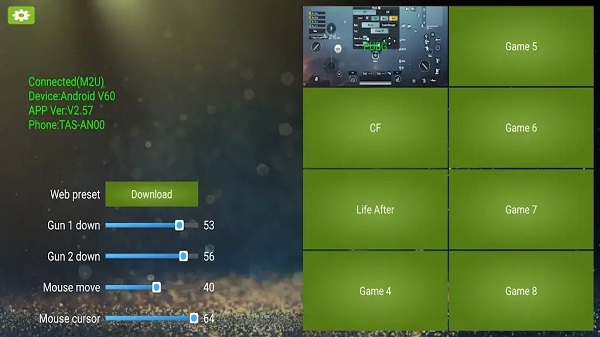
The main purpose of the app is simple: it lets Android games respond to external controllers that normally would not work with them. By pairing a compatible adapter such as the M1 Pro Converter through Bluetooth, users can plug in a keyboard and mouse and start customizing controls. Once connected, KuGamer handles the key mapping so each button or mouse movement triggers a specific in-game action.
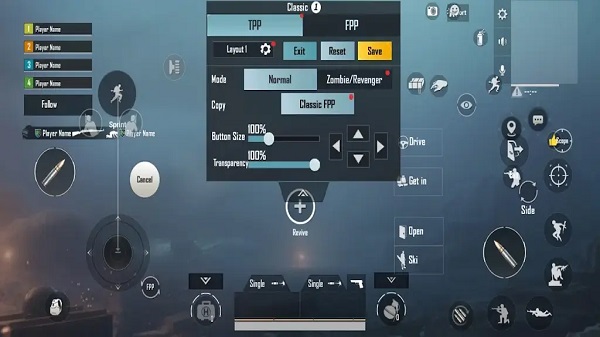
One feature many players appreciate is the floating key-mapping overlay. This small window appears while a game is running and allows quick adjustments without leaving the match. A player can reposition actions like shooting, crouching, or reloading directly on the screen layout. The visual hints make it easier to place buttons accurately, especially during fast-paced matches in games such as PUBG Mobile or BGMI.
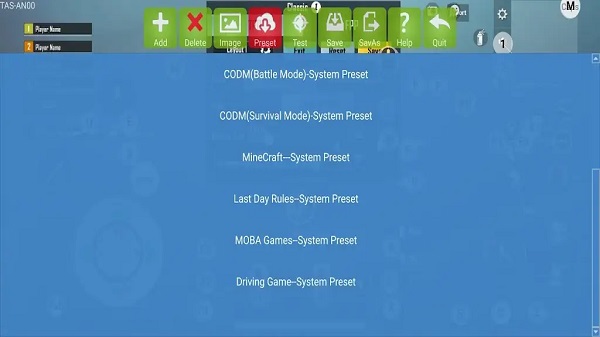
The app also includes preset profiles for certain shooters, which saves time during setup. When a supported game is added, a default control layout loads automatically. Users can then fine-tune sensitivity, camera movement, and scope behavior to match their play style. Games without presets, such as Free Fire, require manual mapping, but the drag-and-drop editor makes the process manageable after a few minutes of tweaking.
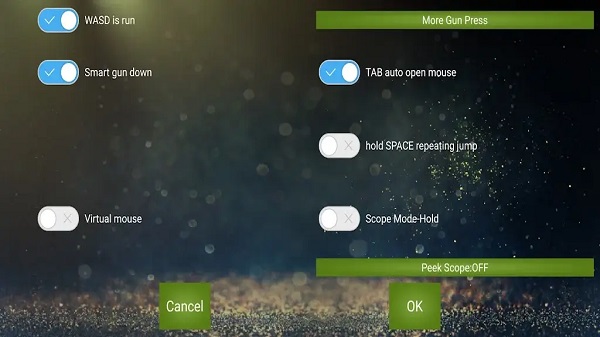
Another useful aspect is the control customization system. Players can adjust mouse sensitivity, camera speed, and scope response through built-in sliders. Different mouse click modes allow rapid taps or smooth movement depending on the situation. Support for multi-button mice also means extra buttons can handle actions like inventory or quick skills.
KuGamer brings clear advantages for players who prefer the accuracy of a keyboard and mouse. It allows more precise aiming, customizable layouts, and quick profile switching for different games. Still, a few limitations exist. Some games require manual setup, Bluetooth stability can affect performance, and the experience depends on adapter compatibility and phone hardware.
This app is mainly suited for competitive mobile shooter players who want more control over movement and aiming. It is useful for users who already own a keyboard–mouse adapter or want a PC-style control layout on Android. Casual players may find the setup unnecessary, but those who spend hours in titles like PUBG Mobile or Free Fire often appreciate the added precision and flexibility.
FAQs KuGamer
What is KuGamer APK used for?
+
KuGamer APK is an Android utility app that lets players connect a keyboard and mouse through a compatible adapter and map those inputs to mobile game controls.
How does KuGamer work with keyboard and mouse on Android?
+
The app connects to a keyboard–mouse adapter via Bluetooth and converts physical key presses and mouse movement into touch actions recognized by mobile games.
Does KuGamer support PUBG Mobile and Free Fire?
+
Yes. The app includes preset profiles for PUBG Mobile and BGMI, while Free Fire can be configured manually using the built-in key mapping editor.
Can players adjust mouse sensitivity in KuGamer?
+
Yes. KuGamer includes sensitivity sliders for cursor movement, camera control, and scope actions so players can fine-tune aiming and tracking speed.
Does KuGamer require root access on Android devices?
+
No. KuGamer works on standard Android devices without root access, as long as the phone supports Bluetooth and a compatible keyboard–mouse adapter.
Discover More Interesting Apps
-

Theick.io
v0.4.8
29 MB
Updated -
Mod
Remote Mouse Pro
v5.306
63 MB
Updated -
Mod
TLS Tunnel
v7.2.6
27.95 Mb
Updated -
Ace Stream
v3.2.19.5
107.59 Mb
Updated -
90 FPS
v11.4
16.02 Mb
Updated -
Mod
Medix
v1.4.0
69.80 Mb
Updated -
Mod
Multi App
v2.7.0
37.47 Mb
Updated -
Sophon
v1.0.54.1
65.80 Mb
Updated -
Mod
SWAP - No ROOT
vv4.8.8
8.41 Mb
Updated -
Ultimate USB
v10.1.1
71.06 Mb
Updated










Share Your Thoughts